Subscription billing, inside your payment platform.
Attach an offer to a checkout. The platform runs every charge that follows.
Offers, rebills, retries, pauses and cancellations for the merchants you choose, on the platform you run under your brand.
Book a demo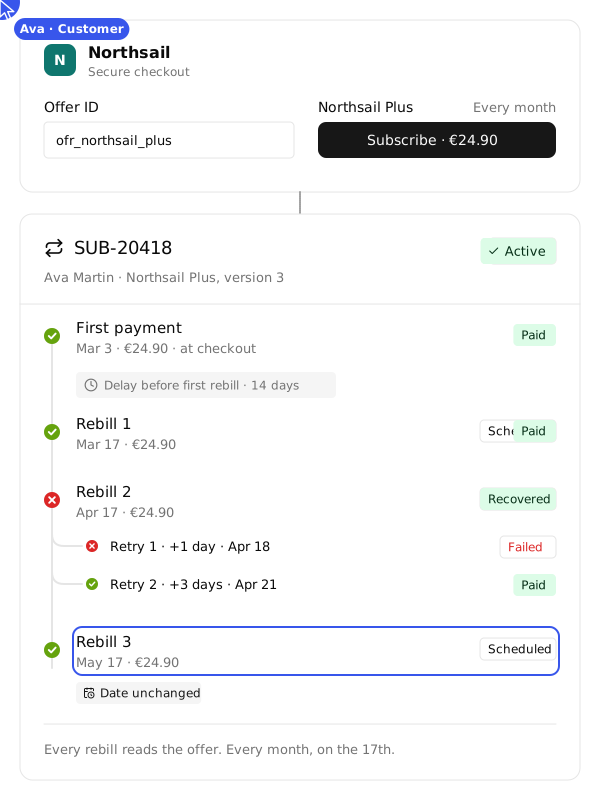
Recurring billing,
run by your platform.
Subscription Engine runs the recurring lifecycle for the merchants you choose: offers, rebills, retries, pauses and cancellations. You switch it on merchant by merchant, under your brand. NORBr stays invisible.

One offer ID. Every charge after it.
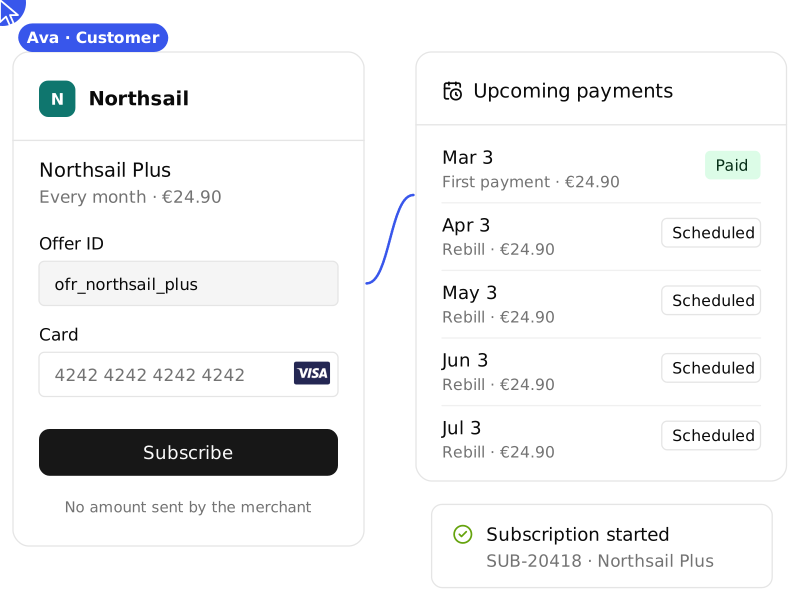
Your merchant sends the customer to checkout with an offer ID. The first payment runs, and the schedule writes itself from the offer: amount, currency, rhythm, first payment and end rule. Each rebill is charged on its date, on the payment method saved at checkout, with no billing job on the merchant side.

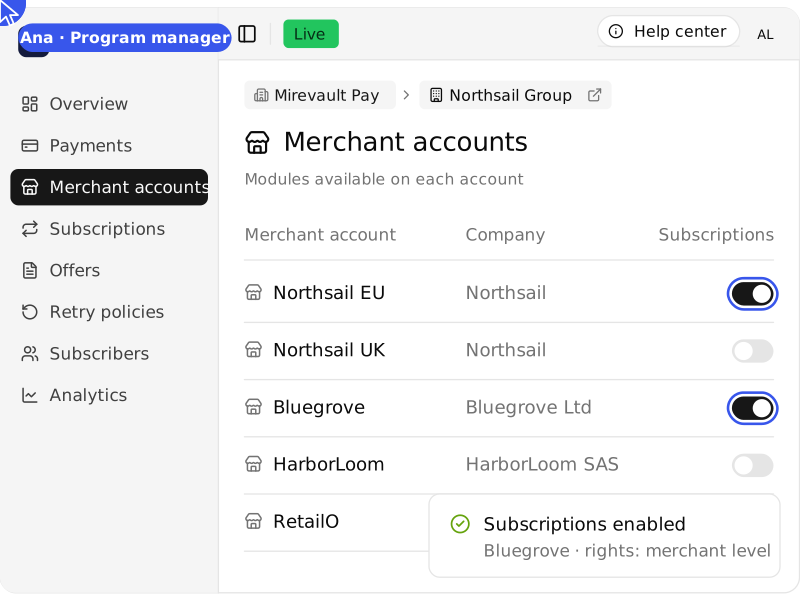
You decide which merchants get it.
Subscriptions is a module, switched on account by account. Offer it to the merchants who bill on a recurring basis and keep it off for the others. Your team, your program managers and your merchants each get the actions you grant them.
Four building blocks.
Everything a subscription needs, split into four objects your teams read the same way at every level of your structure: offers, retry policies, subscriptions and subscribers.
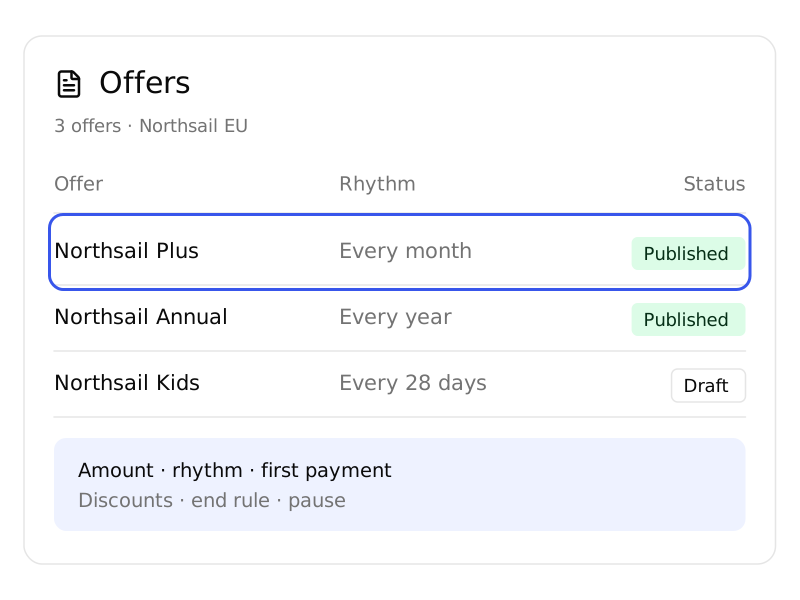
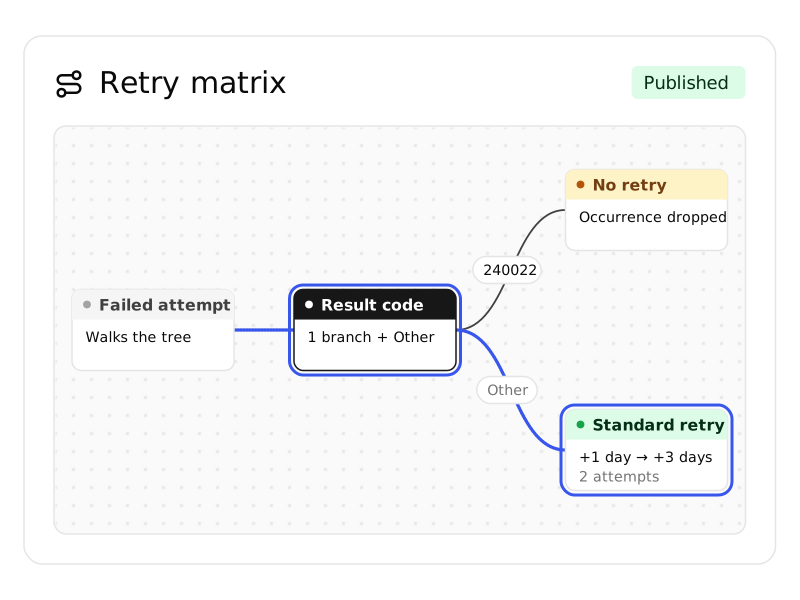
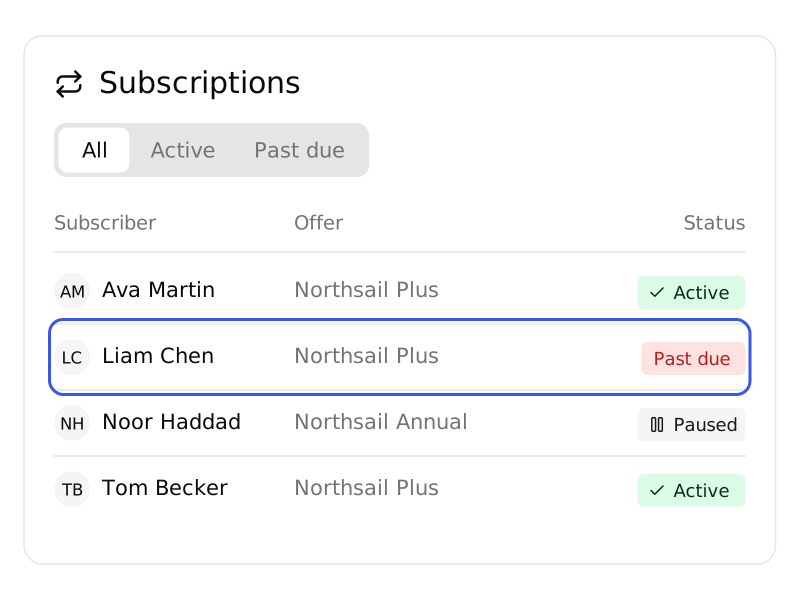
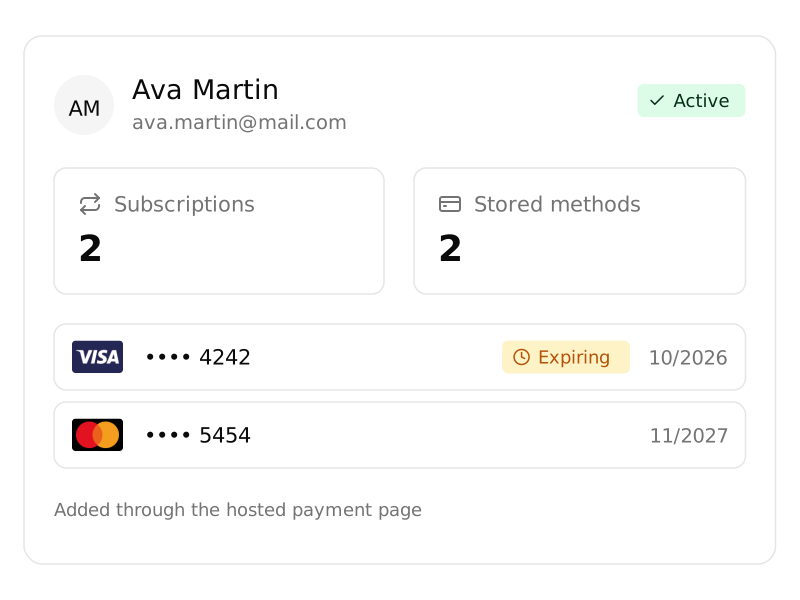
Offers: what to bill
The terms, written once: amount, rhythm, first payment, discounts and end rules. Every subscription follows its offer.
Retry policies: when it fails
The plan for every failed rebill, chosen by the Retry Matrix decision tree.
Subscriptions: each enrolment
Every enrolment with its status, its next charge and its order history.
Subscribers: each customer
Every customer with their saved payment methods and all their subscriptions.
Every status,
explained.
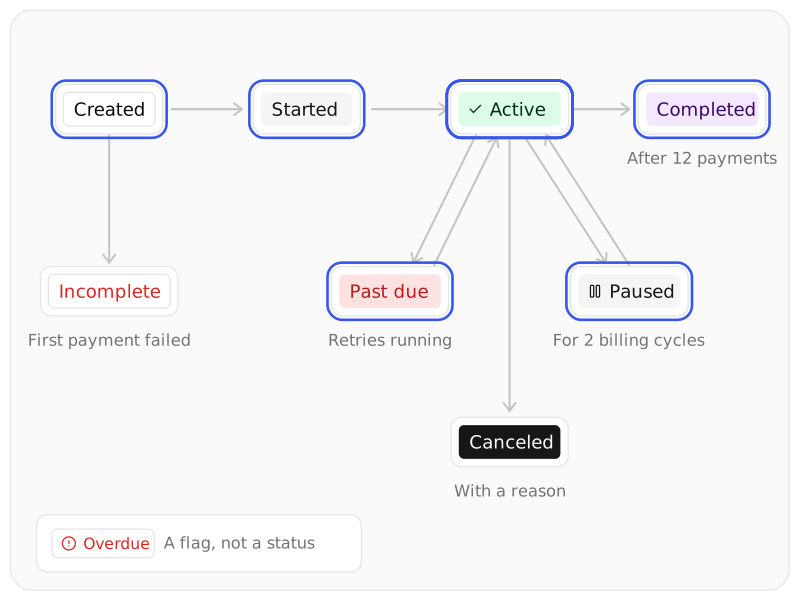
A subscription is always in one status, and each status says what happens next. Overdue is a flag, not a status: the subscription keeps billing while your team decides what to do.

Eight statuses, one lifecycle.
Created: waiting for its first payment. Started: first payment done, first rebill to come. Active: rebills run on schedule. Paused: no rebill for a set number of cycles. Past due: a rebill failed and its retries are running. Canceled: stopped, with a reason on record. Completed: the offer's end rule was reached. Incomplete: the first payment did not go through.

Every charge traces back to its offer.
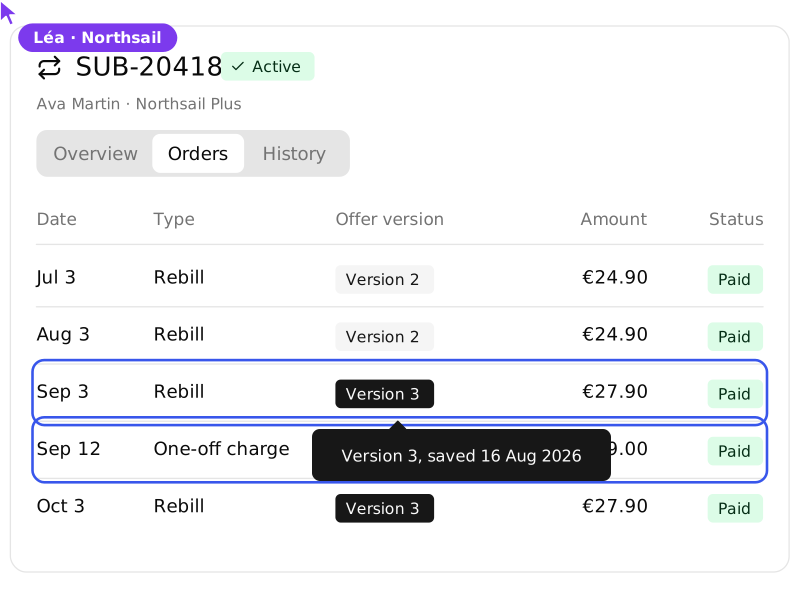
Each order carries the offer and the version it was billed under. When a customer asks why an amount changed, the answer sits in the order line. Rebills, retries and one-off charges sit side by side on the same subscription.

Standalone, or part of your stack.
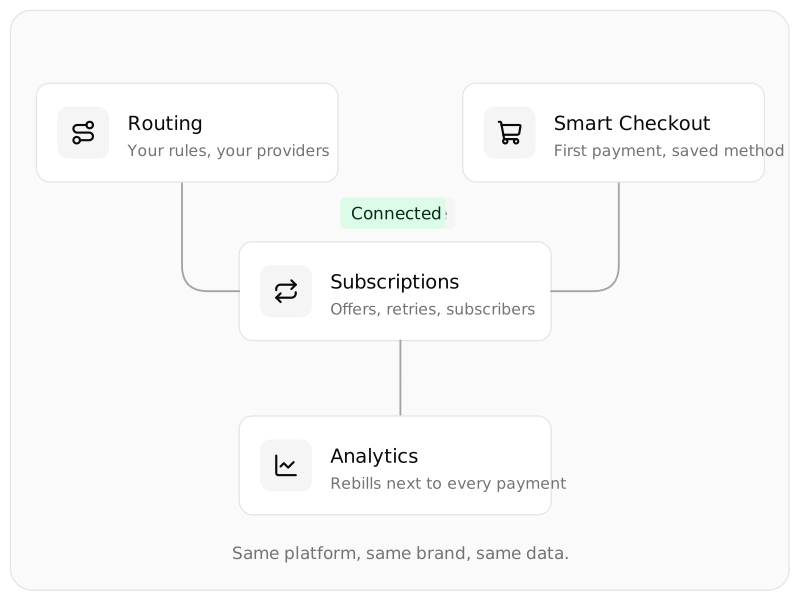
Run Subscriptions on its own, or with the rest of your NORBr platform. Connected, rebills follow your routing rules, start from your checkout and go through the connections your merchants already use. Recurring payments show up next to every other payment in your dashboards.